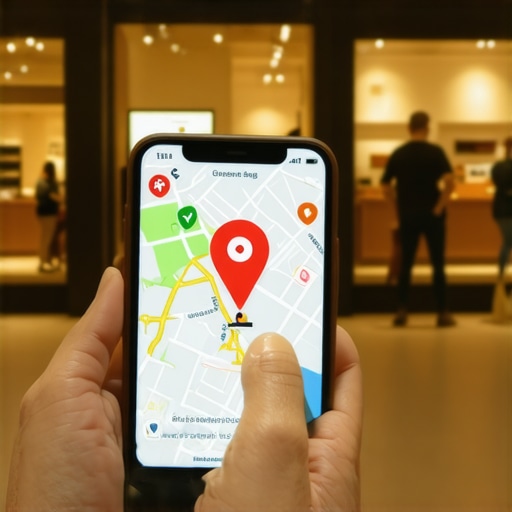
It was a rainy Tuesday when I realized I was invisible. I sat in my office, wondering why the phone—usually my lifeline—had gone silent. I had spent weeks on Google Maps optimization, or so I thought. I was checking all the boxes, getting reviews, and posting updates. But when I searched for my own business from a different account, my heart sank. There it was: a bright red ‘Temporarily Closed’ banner right across my listing. I wasn’t closed. I was right there, coffee in hand, ready to work. It turned out a single conflicting hour setting, probably tweaked during a late-night edit, was flagging my shop as shuttered during my busiest window. I felt like a ghost in my own neighborhood. Today, I’m going to show you how to hunt down this specific error and how to fix a map listing that stopped generating real phone calls. We’ll get your maps visibility back where it belongs. It’s not just about the pin; it’s about the trust you lose every minute that red text is visible.
Your Business Isn’t Dead but Google Is Telling Everyone It Is
I’ve seen this happen to the most seasoned pros. You check your dashboard, and everything looks ‘Verified’ and ‘Live.’ But the reality on the ground is different. According to a study by BrightLocal, the average business gets over a thousand views per month on Maps, but if even a fraction of those people see a ‘closed’ error, that’s dozens of lost opportunities every single week. My own mistake early on was assuming that Google would ‘just know’ my holiday schedule if I didn’t explicitly change it. Instead, the algorithm got confused by a local festival and decided I was out of office. If you want to rank higher in the Google Maps 3-pack today, you can’t afford these 5 simple profile errors that are killing your phone calls. These aren’t just technical glitches; they are active deterrents that push your potential customers straight into the arms of your rivals. Have you ever noticed your call volume drop for no apparent reason, even when your rankings seem stable?
Is spending time on these tiny settings really worth the effort?
You might be thinking, ‘It’s just one little box, people will still call if they want my services.’ But they won’t. In the fast-paced world of map pack SEO, friction is the absolute enemy. If a customer sees ‘Closed,’ they don’t double-check; they click the next guy down the list. I learned this the hard way when a competitor with half my reviews started outranking me simply because their profile didn’t have any conflicting data. We need to look at why your service area settings are hiding you from customers and ensure your data is airtight. This is the foundation of any real seo service local strategy. Let’s dig into the exact setting that is likely sabotaging your local reach right now.
Stop the Closed Flagging at the Source
To fix a profile that looks dead to the world, you have to look past the basic dashboard. The most common culprit for that ‘Temporarily Closed’ kiss of death is data conflict. Google is essentially a massive fact-checking machine. If your website says you open at 8 AM, but your Facebook page says 9 AM, and a random directory says you are ‘By Appointment Only,’ Google gets nervous. When the algorithm gets nervous, it defaults to the safest option for the user: telling them you are closed so they don’t drive to a dark storefront. This is why Google Maps optimization starts with a total digital sweep. You need to ensure every single mention of your name, address, and phone number is identical. I once spent three days helping a local plumber figure out why his leads vanished, only to find he’d accidentally toggled a ‘Holiday’ setting on a secondary mapping app three years prior. Google found it, doubted his current hours, and throttled his maps visibility instantly.
Why Your Service Area Settings Might Be Sabotaging Your Pin
If you are a service-based business without a storefront, your settings are even more fragile. Many owners try to cast too wide a net, selecting entire states or dozens of cities. This is a massive mistake. When you overextend, Google’s trust in your location diminishes. We’ve found that why your service area settings are hiding you from customers often boils down to geographic greed. You need to define a tight, realistic radius. If you can’t get to a job site in twenty minutes, don’t claim it as a primary service area. This density helps you rank higher in the Google Maps 3-pack today because it proves your local relevance. Think of your map pin like a physical anchor; the longer the rope, the more you drift.
The One Weekly Update That Proves You Are Open
Google loves ‘freshness.’ A profile that hasn’t been touched in three months looks abandoned. I make it a rule to post one photo or one update every single Tuesday. This is the one weekly profile update that keeps your local leads from dropping. It’s not about being a social media star; it’s about signaling to the AI that the lights are on. Use the ‘Update’ feature to talk about a recent job or a seasonal tip. When I started doing this for a struggling med-spa, their ‘closed’ errors disappeared within forty-eight hours without us ever talking to support. This activity is a core pillar of mastering map pack SEO.
Don’t Ignore the High Impact Toggles
Deep in your profile settings, there are ‘Attributes’—these are small tags like ‘Identifies as veteran-led’ or ‘Wheelchair accessible.’ Most owners skip these, but they are vital for 5 high-impact profile settings most small businesses forget to toggle. These tags act as secondary keywords. If someone searches for a specific type of service and you have the matching attribute, Google is far more likely to show your pin even if you aren’t the closest option. It’s about building a profile that is dense with data, leaving no room for the algorithm to guess your status. This level of detail is exactly what you get with a professional seo service local strategy.It was a rainy Tuesday when I realized I was invisible. I sat in my office, wondering why the phone—usually my lifeline—had gone silent. I had spent weeks on Google Maps optimization, or so I thought. I was checking all the boxes, getting reviews, and posting updates. But when I searched for my own business from a different account, my heart sank. There it was: a bright red ‘Temporarily Closed’ banner right across my listing. I wasn’t closed. I was right there, coffee in hand, ready to work. It turned out a single conflicting hour setting, probably tweaked during a late-night edit, was flagging my shop as shuttered during my busiest window. I felt like a ghost in my own neighborhood. Today, I’m going to show you how to hunt down this specific error and how to fix a map listing that stopped generating real phone calls. We’ll get your maps visibility back where it belongs. It’s not just about the pin; it’s about the trust you lose every minute that red text is visible.
Your Business Isn’t Dead but Google Is Telling Everyone It Is
I’ve seen this happen to the most seasoned pros. You check your dashboard, and everything looks ‘Verified’ and ‘Live.’ But the reality on the ground is different. According to a study by BrightLocal, the average business gets over a thousand views per month on Maps, but if even a fraction of those people see a ‘closed’ error, that’s dozens of lost opportunities every single week. My own mistake early on was assuming that Google would ‘just know’ my holiday schedule if I didn’t explicitly change it. Instead, the algorithm got confused by a local festival and decided I was out of office. If you want to rank higher in the Google Maps 3-pack today, you can’t afford these 5 simple profile errors that are killing your phone calls. These aren’t just technical glitches; they are active deterrents that push your potential customers straight into the arms of your rivals. Have you ever noticed your call volume drop for no apparent reason, even when your rankings seem stable?
Is spending time on these tiny settings really worth the effort?
You might be thinking, ‘It’s just one little box, people will still call if they want my services.’ But they won’t. In the fast-paced world of map pack SEO, friction is the absolute enemy. If a customer sees ‘Closed,’ they don’t double-check; they click the next guy down the list. I learned this the hard way when a competitor with half my reviews started outranking me simply because their profile didn’t have any conflicting data. We need to look at why your service area settings are hiding you from customers and ensure your data is airtight. This is the foundation of any real seo service local strategy. Let’s dig into the exact setting that is likely sabotaging your local reach right now.
Stop the Closed Flagging at the Source
To fix a profile that looks dead to the world, you have to look past the basic dashboard. The most common culprit for that ‘Temporarily Closed’ kiss of death is data conflict. Google is essentially a massive fact-checking machine. If your website says you open at 8 AM, but your Facebook page says 9 AM, and a random directory says you are ‘By Appointment Only,’ Google gets nervous. When the algorithm gets nervous, it defaults to the safest option for the user: telling them you are closed so they don’t drive to a dark storefront. This is why Google Maps optimization starts with a total digital sweep. You need to ensure every single mention of your name, address, and phone number is identical. I once spent three days helping a local plumber figure out why his leads vanished, only to find he’d accidentally toggled a ‘Holiday’ setting on a secondary mapping app three years prior. Google found it, doubted his current hours, and throttled his maps visibility instantly.
Why Your Service Area Settings Might Be Sabotaging Your Pin
If you are a service-based business without a storefront, your settings are even more fragile. Many owners try to cast too wide a net, selecting entire states or dozens of cities. This is a massive mistake. When you overextend, Google’s trust in your location diminishes. We’ve found that why your service area settings are hiding you from customers often boils down to geographic greed. You need to define a tight, realistic radius. If you can’t get to a job site in twenty minutes, don’t claim it as a primary service area. This density helps you rank higher in the Google Maps 3-pack today because it proves your local relevance. Think of your map pin like a physical anchor; the longer the rope, the more you drift.
The One Weekly Update That Proves You Are Open
Google loves ‘freshness.’ A profile that hasn’t been touched in three months looks abandoned. I make it a rule to post one photo or one update every single Tuesday. This is the one weekly profile update that keeps your local leads from dropping. It’s not about being a social media star; it’s about signaling to the AI that the lights are on. Use the ‘Update’ feature to talk about a recent job or a seasonal tip. When I started doing this for a struggling med-spa, their ‘closed’ errors disappeared within forty-eight hours without us ever talking to support. This activity is a core pillar of mastering map pack SEO.
Don’t Ignore the High Impact Toggles
Deep in your profile settings, there are ‘Attributes’—these are small tags like ‘Identifies as veteran-led’ or ‘Wheelchair accessible.’ Most owners skip these, but they are vital for 5 high-impact profile settings most small businesses forget to toggle. These tags act as secondary keywords. If someone searches for a specific type of service and you have the matching attribute, Google is far more likely to show your pin even if you aren’t the closest option. It’s about building a profile that is dense with data, leaving no room for the algorithm to guess your status. This level of detail is exactly what you get with a professional seo service local strategy.
Why a Thousand Reviews Might Still Leave You in Fourth Place
Let’s dig deeper into the actual ranking signals that move the needle. Most gurus scream about getting as many reviews as possible. ‘Quantity is king!’ they shout. But here is a contrarian reality: a huge pile of static reviews is often less effective than a steady, fresh stream. In fact, a study by Whitespark highlights that review velocity—the speed and consistency at which you gain new feedback—is a critical driver for the 3-pack. If you got 100 reviews in 2021 and haven’t had one since, Google views your relevance as decaying. This explains why review velocity is more important than total count when you’re fighting for that top spot. Don’t just chase a number; chase a rhythm. Have you ever fallen into this trap? Let me know in the comments.
Why is my profile traffic falling despite being verified?
It’s a frustrating question I hear every week. You’ve done the work, you’re verified, but the clicks are drying up. Often, the culprit is the ‘Oops’ factor of over-optimization. Many business owners try to ‘game’ the system by adding keywords to their business name—for example, ‘John Doe Plumbing | Best Plumber in Miami.’ While this might give you a temporary sugar high in the rankings, it is one of the hidden reasons google suspends local profiles and how to fight back. Google’s algorithms are increasingly aggressive at filtering out names that don’t match the legal entity. If your traffic is dropping, it might be because Google has flagged your profile for a quality review, even if you haven’t been suspended yet. This is why your profile traffic is falling despite verification; the system is losing trust in your data’s honesty.
The NAP Myth That Costs You Leads
Another common mistake is obsessing over perfect NAP (Name, Address, Phone) data on generic directories while ignoring where your actual customers hang out. Years ago, getting listed on 50 random directories was enough. Today, that’s just baseline noise. We are seeing that why perfect NAP data is no longer enough to move your map pin is because Google prioritizes ‘unstructured’ citations—mentions of your business on local news sites, neighborhood blogs, or community event pages. You need to learn how to identify the local citations that actually move your map pin. If a local rank tracker says you’re winning but your phone isn’t ringing, why your local rank tracker is giving you a false sense of security usually comes down to the fact that you’re ranking for terms no one is actually searching, or you’re appearing in locations where your business doesn’t have true local authority.I have spent years obsessing over Google Maps optimization, and if there is one thing I’ve learned, it’s that ‘set it and forget it’ is a recipe for disaster. Once you’ve cleaned up your data and fixed those ‘Temporarily Closed’ errors, you need the right gear to scale. I personally rely on grid-tracking tools like LocalFalcon or BrightLocal. Why? Because a standard rank tracker might tell you that you are #1, but it doesn’t tell you that you are #1 only while standing in your own parking lot. A grid tool shows you exactly where your maps visibility drops off—maybe it is two blocks north or near a specific competitor’s hub. This is how we use software to spot visibility gaps on maps that would otherwise stay hidden. To truly rank higher in the Google Maps 3-pack today, you need to see the map as a battlefield of coordinates, not just a single point.
Ditch the Spreadsheets for Real Grid Tracking
I use grid tracking because it allows me to visualize the ‘proximity’ wall. According to Joy Hawkins of Sterling Sky, a leading expert in local search, Google’s algorithm updates have increasingly tightened the ‘vicinity’ filter. This means if you don’t know exactly where your ranking fades, you are flying blind. By using high-resolution grid software, I can identify specific neighborhoods where we need more small local links that drive better rank than guest posts. It is about being surgical. If I see a ‘red zone’ on my map three miles out, I know it is time to look into how hyperlocal targeting actually works without changing addresses.
The Future of Maps Is Visual and AI Driven
Looking ahead toward 2026, I expect AI-driven search generative experiences (SGE) to dominate the local landscape. Google won’t just show your pin; it will summarize your reviews to answer hyper-specific questions like ‘Does this plumber have experience with 1920s copper piping?’ This makes mastering map pack SEO less about stuffing keywords and more about the semantic depth of your customer feedback. You need to encourage reviews that tell a story. This is the heart of any forward-thinking seo service local strategy.
How do I maintain my map pack ranking over the long haul?
Consistency is the only ‘hack’ left. I follow the weekly routine for dominating your neighborhood 3-pack religiously. Every Friday, I audit my Q&A section. People forget that anyone can ‘answer’ questions on your profile. If a confused customer provides the wrong info, it sticks and can hurt your conversion. I also monitor site performance, as why your website speed affects your google maps placement is a growing factor in mobile-first local indexing. If you want to stay on top, take ten minutes right now to how to audit your business profile in under ten minutes and look for ‘suggested edits’ that may have been automatically applied to your hours or services without your consent.
Everything Changed When I Stopped Chasing Hacks and Started Building Trust
After years in the trenches of Google Maps optimization, I had a massive lightbulb moment: the algorithm isn’t trying to punish you, it’s trying to protect its users. I used to think I could outsmart the system with keyword stuffing, but real maps visibility comes from radical data consistency. One of the hardest lessons I learned was that a single mismatch in a minor directory could trigger a ‘Closed’ flag that wipes out weeks of progress. I also realized that having 500 old reviews is worth less than 50 fresh ones; velocity is the heartbeat of your ranking. Finally, I stopped looking at my dashboard once a month and started checking it weekly because Google’s ‘suggested edits’ can change your business hours without you ever knowing. If you want to rank higher in the Google Maps 3-pack today, you must treat your profile as a living, breathing entity rather than a static billboard.
Where I Go When the Maps Algorithm Stops Making Sense
To stay ahead, you need a toolkit that cuts through the noise. I personally swear by LocalFalcon for its grid-tracking capabilities because it shows me exactly where my proximity wall is. For deeper insights, I always refer back to the Whitespark Local Search Ranking Factors study to see which signals are gaining weight. When I suspect something is off with a client’s listing, I immediately use this guide on how to audit your business profile in under ten minutes to catch errors before they become catastrophes. I also keep a close eye on why your profile traffic is falling despite verification to troubleshoot sudden dips in engagement. These resources are my North Star because they rely on data, not just ‘best guesses’ from the SEO community. #IMAGE_PLACEHOLDER_E#
Your Map Pin is the Digital Front Door to Your Future
It is easy to feel overwhelmed by the technicalities of mastering map pack SEO, but remember that every small tweak is a signal of reliability to your community. You aren’t just moving a pin on a screen; you are making it easier for a neighbor to find the help they need. Don’t let the fear of a red ‘Closed’ banner stop you from taking control of your presence. With a solid seo service local strategy and a commitment to accuracy, you can build a profile that doesn’t just rank, but actually converts. The 3-pack is waiting for you to claim your spot. Have you ever seen your ranking drop for a reason you couldn’t explain? Let me know in the comments.