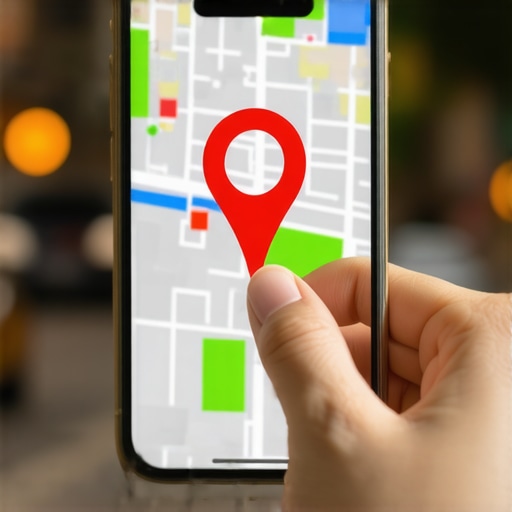
I’ll never forget the rainy Tuesday I lost a four-figure contract because of a tiny red icon. I was sitting in my studio, coffee in hand, waiting for a new lead to arrive for a consultation. Ten minutes late turned into twenty. When my phone finally buzzed, it was a frustrated voice on the other end: “I’ve been driving in circles for fifteen minutes. Google says you’re behind a dumpster at a closed-down grocery store.” My heart dropped. I had the right address listed, but the physical map pin—the thing that actually guides the GPS—was half a mile off. It was a wake-up call that google maps optimization isn’t just about keywords; it’s about making sure your customers can actually find your front door. Today, we are going to fix that. I’m going to walk you through the exact process to drag that pin to its rightful home so you can stop apologizing for Google’s confusion and start welcoming people inside. Have you ever had a customer call you sounding totally lost because their GPS lied to them? It’s a nightmare, isn’t it?
Stop Sending Your Customers to the Wrong Parking Lot
When I first started out, I made the amateur mistake of thinking that as long as my text address was correct, the map would magically align. I was dead wrong. I’ve learned the hard way that why your map pin is in the wrong place for mobile users often comes down to how Google interprets the “entrance” to your building versus the center of the land parcel. If your pin is stuck on a back alley or a side street, your leads are going to vanish before they even park. According to industry data from BrightLocal, 77% of consumers use Google Maps specifically to find local business information, and if that first interaction is a navigation failure, you’ve likely lost them for good. You need 7 fixes for business profiles that stopped getting calls to ensure your digital presence matches the real world. Inaccurate pins don’t just frustrate people; they signal to Google that your data is unreliable, which can tank your map pack seo efforts. It’s a silent killer of local growth.
Will Moving a Tiny Pin Really Save My Business?
It sounds trivial, doesn’t it? But think about the psychology of a modern buyer. We are impatient. If the blue line on the screen leads to a dead end, we don’t usually call the business to ask for directions—we just go to the next person in the map pack. Fixing your pin location is one of those 3 simple profile fixes that turn map clicks into real phone calls because it removes the final barrier to entry. We aren’t just talking about technical data here; we are talking about basic hospitality. You wouldn’t lock your front door during business hours, so don’t let a misplaced pin act as a digital barricade. [image_placeholder_1] By adjusting the pin precisely to where your customers actually park and enter, you improve your maps visibility and build instant trust before they even step out of their car. It’s time to take control of your coordinates.
Jump Into the Dashboard Cockpit
To start this rescue mission, you need to get behind the wheel of your Google Business Profile. Think of your dashboard as the cockpit of a plane; if one dial is off, the whole flight path is compromised. Log in and head straight to the ‘Edit Profile’ section. You aren’t just looking for the address field; you are looking for the ‘Business Location’ map interface. This is where google maps optimization becomes a hands-on physical task rather than a digital one. I remember a bakery in Seattle that technically had its address on a main road, but the customer entrance was tucked away in a hidden courtyard. The pin was stuck on the roof of the building, leading people to a brick wall. We zoomed in to the maximum level, switched to satellite view, and moved that red marker thirty feet to the left—straight to the courtyard gate. Within a week, their ‘request directions’ clicks doubled because we finally removed the friction.
Find Your Front Door on the Satellite View
Don’t trust the default map view. It’s a simplified drawing that often misses the nuances of alleys, parking lot entrances, and side doors. Switch to the satellite layer immediately. You want to place your pin exactly where a human being would stand to walk through your front door. If you are in a massive shopping mall, don’t place the pin in the center of the mall; place it at the specific exterior entrance closest to your unit. This level of precision is how you rank higher in the google maps 3 pack today, because Google rewards data that leads to successful user outcomes. If people arrive at your door without getting lost, Google’s algorithms see that as a ‘win’ for their platform. 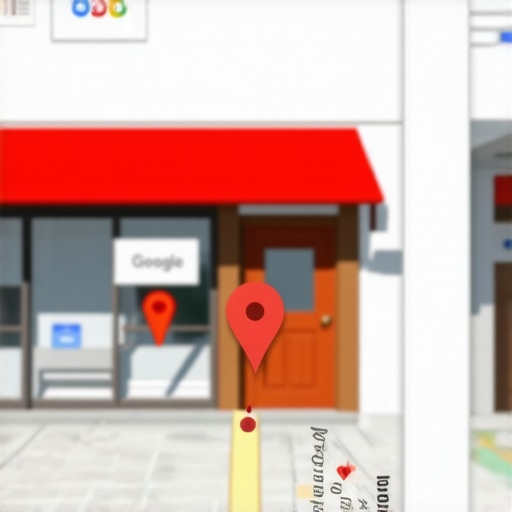
Verify the Change Without Getting Suspended
Once you’ve dragged the pin, Google might ask for a quick re-verification. Don’t panic. This is standard procedure to prevent map hijacking. Usually, it’s just a quick text or email code. However, you should perform a quick how to audit your business profile in under ten minutes check to ensure no other information—like your phone number or category—was accidentally bumped during the edit. If the pin doesn’t update immediately, give it 24 to 48 hours. If it still hasn’t moved, you might be dealing with a deeper data conflict, which is often why your map pin is in the wrong place for mobile users who are pulling data from old, un-synced caches.
Update Your Photos to Match the New Pin
Moving the pin is only half the battle; you need to prove to the customer’s eyes what the map is telling their GPS. Upload a fresh photo of your storefront from the perspective of the new pin location. If the GPS drops them at the north gate, your primary photo should be the view of the north gate. Using the checklist for optimizing profile photos for more clicks ensures that when the customer looks up from their phone, they see exactly what was on their screen. This visual confirmation is a powerful signal that reinforces your map pack seo by increasing the click-through rate and reducing ‘bounce’ rates from confused drivers. If your listing disappears during this process, follow the exact steps to take when a map listing disappears to get back on the grid safely.
Moving the pin is a great start, but if you think that proximity is the only thing keeping you in the top three, you’re playing an old game. Most ‘experts’ will tell you that if you aren’t located in the geographic center of your city, you’re doomed. I’ve found that why distance from the center is not your ranking problem is actually one of the biggest misconceptions in local SEO today. In reality, Google looks for ‘relevance’ through hyperlocal signals—things like mentions on local blogs or neighborhood-specific keywords—more than the actual odometer reading from City Hall. Google’s algorithm is smarter than a simple ruler; it looks for who is most ‘prominent’ in the eyes of the locals. Have you ever fallen into the trap of thinking your location was a permanent handicap? Let me know in the comments.
Distance Isn’t Your Destiny
The biggest myth I see is that you need a ‘Main Street’ address to win. This is why many owners waste money on ‘virtual offices’ that eventually get them suspended. Instead, savvy owners realize that why proximity is not the only factor in local ranking often comes down to how well your website connects to the specific community you serve. If you have better local backlinks and neighborhood-specific content, you can actually leapfrog a competitor who is physically closer to the searcher. I call this building ‘digital authority,’ and it’s one of the most effective affordable local seo services to dominate the 3 pack because it relies on effort rather than expensive real estate. By focusing on how to steal local market share from big chains using neighborhood signals, you turn your ‘remote’ location into a specialized destination.
Why Do My Rankings Tank Even When I’m the Closest Shop?
It’s incredibly frustrating: you’re standing right there, yet your competitor three blocks away is the one showing up first. This often happens because of a ‘relevance gap.’ While you have the pin in the right spot, your profile lacks the quiet signals that actually push you into the 3-pack. According to the Whitespark Local Search Ranking Factors study, ‘relevance’ is heavily influenced by things like the keywords in your reviews and the specific service attributes you select. If your competitor has fifty reviews mentioning ‘best emergency plumber’ and you just have a hundred reviews saying ‘great service,’ Google will pick them for that specific search every time. They are winning because they understand the search signals that let competitors outrank you without better reviews.
Avoid the Review Velocity Death Trap
Here is a warning most ‘gurus’ won’t tell you: getting too many reviews too quickly is a recipe for disaster. I’ve seen businesses go from #1 to invisible overnight because they ran a contest to get fifty reviews in a weekend. Google’s spam filters are hyper-sensitive to what we call ‘Review Velocity.’ When the AI sees a massive spike that doesn’t match your historical data, it doesn’t just hide the new reviews—it can shadowban your entire profile. This is exactly why asking every customer for a review is actually hurting your map rank if you don’t do it naturally and consistently. You want a slow, steady stream, not a flood that triggers the alarm.  Always remember that why your local rank tracker is giving you a false sense of security is often because it doesn’t account for these algorithmic filters that happen in real-time. By avoiding these advanced ‘traps’ and focusing on authority over just proximity, you’re not just optimizing—you’re outsmarting the competition.
Now that we’ve moved your pin and busted the myth that you need to be in the city center, we have to talk about the ‘boring’ part: staying there. I’ve seen countless business owners climb to the top only to vanish three months later because they treated their profile like a ‘set it and forget it’ project. Real google maps optimization is a marathon, not a sprint. If you aren’t actively tending to your digital storefront, a hungrier competitor will eventually eat your lunch. I make it a point to spend at least fifteen minutes every Friday morning auditing my own signals. It’s about building a fortress around your ranking so that when Google rolls out its next unannounced update, your phone doesn’t stop ringing.
The Tools That Actually Earn Their Keep
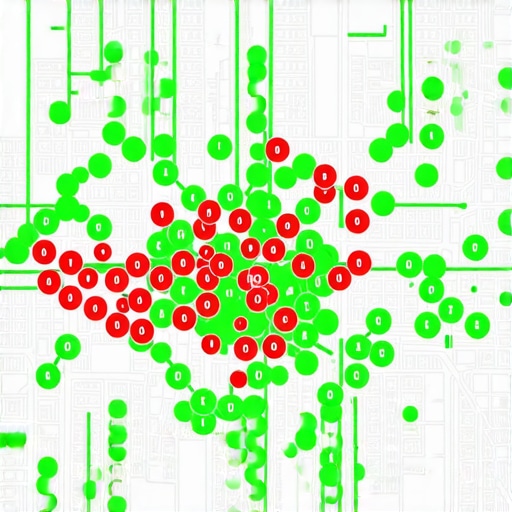
I’m often asked what ‘secret’ software I use to stay ahead. While there are hundreds of shiny apps out there, I personally swear by local geo-grid trackers. Unlike a standard rank tracker that gives you a single number for a whole city, a geo-grid shows you exactly where your visibility drops off street by street. This is how we use software to spot visibility gaps on maps that would otherwise remain hidden. For example, you might be #1 at your front door but drop to #10 just two blocks away because of a specific local competitor. Seeing those ‘red zones’ allows you to target your local link-building or content efforts with surgical precision. It’s the difference between guessing and knowing exactly where your next customer is coming from.
How do I maintain my map dominance over time?
Consistency is the only currency Google truly respects. I recommend establishing the weekly routine for dominating your neighborhood 3 pack. This includes replying to every single review—yes, even the three-star ones—within 24 hours and posting at least one high-quality update to your profile. According to Joy Hawkins of Sterling Sky, a leading expert in the local search space, the ‘relevance’ factor is heavily influenced by active engagement. If you stop posting, Google assumes your business might be less active or less relevant to searchers. You should also be performing the one weekly profile update that keeps your local leads from dropping, which could be as simple as updating your ‘from the business’ description or adding a few new photos of your latest work.
The Future of Maps Is Conversational
As we look toward 2026 and beyond, the way people use Google Maps is shifting from typing to talking. AI-driven search means people are asking their phones, ‘Where can I find a gluten-free bakery open now with easy parking?’ This is why you need to learn how to optimize for voice search on Google Maps by using natural, conversational language in your Q&A section and business description. We are moving away from simple keyword matching toward ‘intent matching.’ If your profile doesn’t answer the specific, long-tail questions your customers are asking, you won’t show up in the AI-generated snippets that are starting to dominate mobile screens. If you want to stay ahead of this curve without breaking the bank, look into affordable local seo services to dominate the 3 pack that focus on these emerging signals rather than just old-school citations. My advice? Start by filling out your Q&A section today with the five most common questions your customers ask over the phone. If you need a hand setting up a more advanced tracking system, you can always contact us to see how we bridge these visibility gaps.
Hard-Won Lessons from the Local Map Trenches
After years of managing profiles, I’ve realized that the biggest threat to your ranking isn’t a competitor—it’s complacency. One of the 4 costly errors keeping your shop out of the map pack is assuming that once the pin is moved, your work is done. Google is constantly re-evaluating the ‘real-world’ accuracy of your data based on user feedback. If multiple users report your pin is still slightly off, Google will trust them over you. Another lightbulb moment was realizing that how to build map authority in a competitive city requires more than just technical fixes; it requires becoming a digital pillar of your community. Don’t just exist on the map—dominate the conversation around your services. Finally, never ignore the ‘suggest an edit’ notifications. Competitors can and will try to move your pin to a nearby lake if you aren’t paying attention. It’s a digital turf war, and you need to be the most vigilant soldier on the field.
My Favorite Weapons for Local Dominance
I don’t believe in using fifty different tools. You only need a few that provide absolute clarity. First, I always recommend checking out the Sterling Sky local search forums; the community there is the first to spot algorithm shifts before they become mainstream news. For tracking, I rely on geo-grid visualizers because they reveal why your current map strategy is losing you money by showing exactly where you vanish. I also suggest keeping a physical log of your changes. When you move a pin or change a category, note the date. This is the only way to truly measure the impact of your google maps optimization efforts. If you need help interpreting these complex signals, don’t hesitate to contact us for a deep-dive audit.
Go Reclaim Your Digital Front Door
Your business deserves to be found. Every day your pin sits in the wrong spot or your profile remains stagnant, you are essentially handing over your hard-earned leads to the guy down the street. It can feel overwhelming, but remember that local SEO is just a series of small, intentional moves that add up to a massive competitive advantage. You’ve got the roadmap now—all that’s left is to start the engine. Take ten minutes today to double-check that satellite view and ensure you are welcoming your customers exactly where they expect to find you. Your bottom line will thank you for it. Have you ever noticed a sudden drop in calls after making a change to your profile, or did moving your pin immediately boost your traffic? Let me know your experience in the comments below!